This is no BS gaming podcast 2.5 gamers –
🤖 Building a UA reporting agent live, in 15 minutes by Matej Lancaric
Sharing actionable insights, dropping knowledge from our day-to-day User Acquisition, Game Design, and Ad monetization jobs. We are definitely not discussing the latest industry news, but having so much fun! Let’s not forget this is a 4 am conference discussion vibe, so let’s not take it too seriously.
The Team:
Jakub Remiar- Game design consultant
Felix Braberg – Ad monetization consultant
Matej Lančarič – User Acquisition & Creatives consultant
Join our slack channel here: SLACK CHANNEL
-

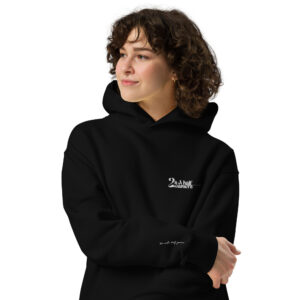
Unisex oversized hoodie
70,00 € Select options This product has multiple variants. The options may be chosen on the product page -
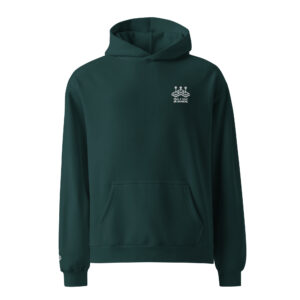
2,5gamers OG hoodie
59,00 € Select options This product has multiple variants. The options may be chosen on the product page -

Oversized faded t-shirt
40,00 € Select options This product has multiple variants. The options may be chosen on the product page -

Denim T-Shirt
32,50 € – 35,50 € Select options This product has multiple variants. The options may be chosen on the product page
Summary
I automated my weekly UA reporting using AppsFlyer MCP and it took less than 15 minutes to set up. https://bit.ly/4lMS8jM
Every week, I was doing the same painful thing: opening AppsFlyer for one client, then another, then another. 10 accounts, 10 dashboards, hours gone before the week even starts. Not anymore.
In this episode, I walk you through the exact setup I use – live, on screen – so you can copy it for your own accounts today.
What you’ll learn:
→ What MCP (Model Context Protocol) actually is, in plain UA terms
→ How to connect AppsFlyer MCP to n8n (or Claude Desktop / ChatGPT)
→ How to build an automated weekly UA report in under 20 minutes
→ How to deliver reports to Slack, email, Notion, Google Sheets — wherever you work
→ How to scale to 10+ client accounts using a multi-agent setup
→ What’s coming next: creative fatigue alerts, spend cap monitoring, and more
This works whether you’re an internal UA manager with one app or a consultant running campaigns for multiple clients. No coding required.
— Links mentioned —
AppsFlyer MCP GitHub (open source): https://github.com/AppsFlyerKnowledge…
AppsFlyer MCP setup guide + templates: https://bit.ly/4lMS8jM
AppsFlyer workflow library (executive summary, caps alert, and more): https://bit.ly/4lMS8jM
n8n (free automation tool): https://n8n.io
My Companion article (step-by-step written guide):
My newsletter (Sub Stack):
https://lancaric.substack.com/p/i-tes…
— Who this is for — UA managers, growth marketers, and mobile gaming consultants who run campaigns on AppsFlyer and want to automate the parts of their job that don’t require human thinking.
Chapters
00:00 Why I hate weekly UA reporting
01:45 What is MCP — the 2-minute version
03:30 Where to find AppsFlyer templates and the workflow library
05:00 Step 1: Get your AppsFlyer MCP token
06:30 Step 2: Connect to n8n and set up credentials
08:15 Step 3: Run your first automated report
10:30 Customising metrics — CPI, ROAS, creative performance
12:00 Delivering reports to Slack, email, Notion, Sheets
13:30 Scaling to multiple accounts: the multi-agent setup